Visual Context Canvas
A downloadable tool for Windows
A visual workspace for giving AI the context it actually needs.
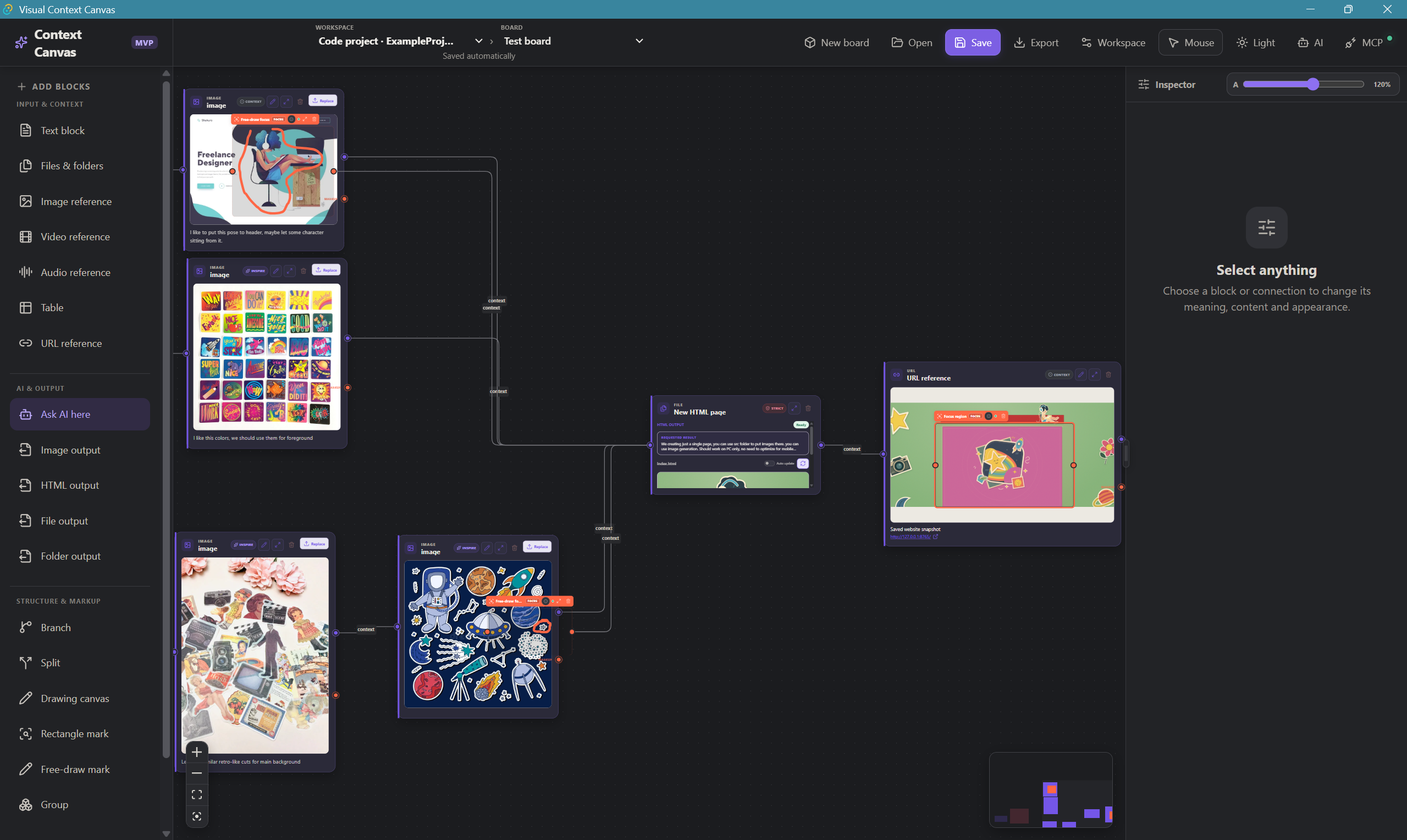
Visual Context Canvas (VCC) lets you organize product ideas, screenshots, websites, videos, drawings, requirements, and AI tasks on one connected canvas.
Instead of writing huge prompts and repeatedly explaining your project, build the context visually once — then let your AI agent explore exactly what it needs.
Why VCC?
AI coding agents are great at writing code. The hard part is giving them the right context.
VCC helps you connect:
- product requirements and ideas
- screenshots and UI references
- websites and page snapshots
- video and audio
- drawings and diagrams
- structured data
- AI tasks and responses
You can connect related information, create branches, and keep everything organized in a visual workspace.
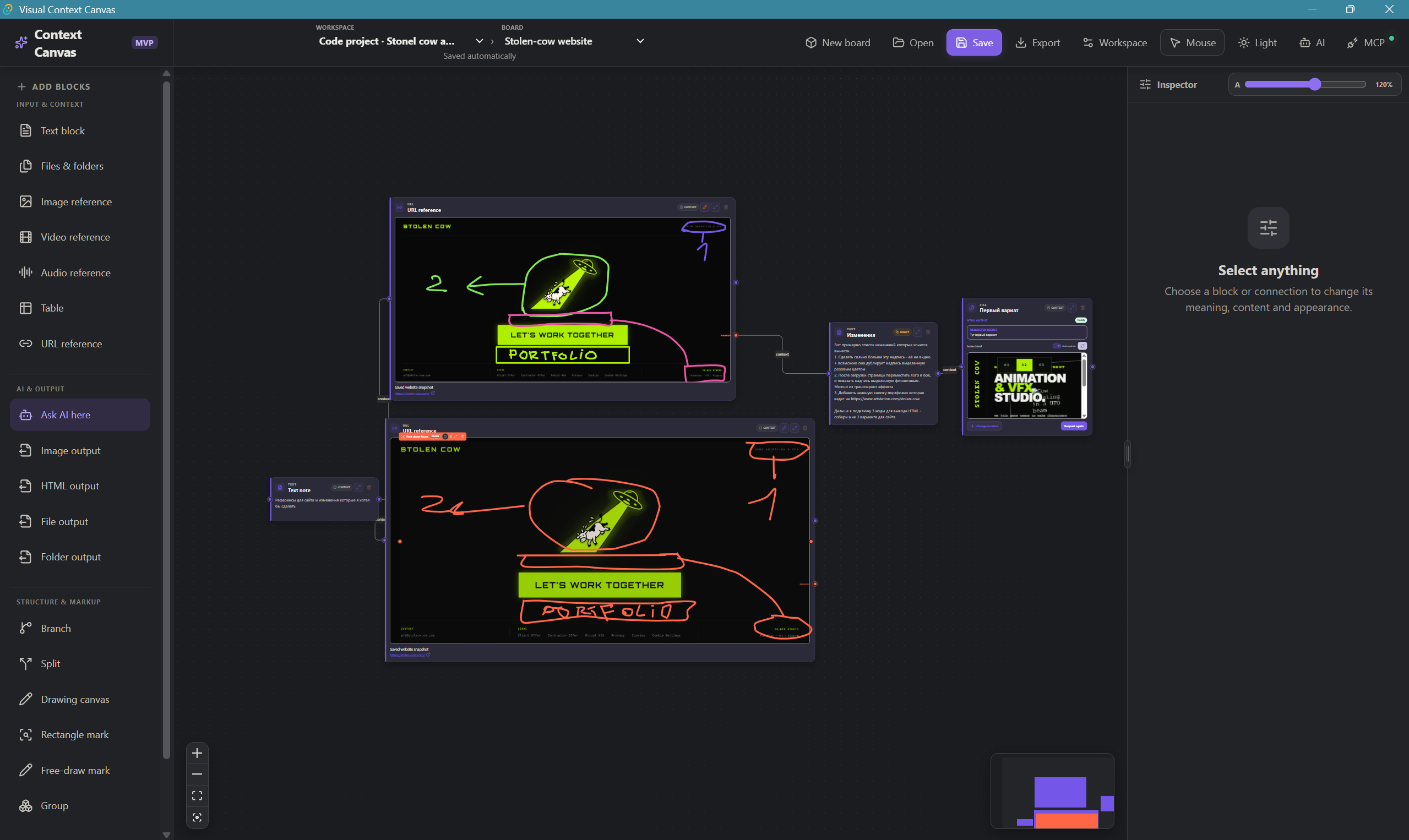
Highlight specific areas
Draw rectangles or free-form annotations directly on images, screenshots, video frames, websites, or drawings.
Instead of telling AI "look at the button in the top-right corner", mark the exact area you mean.
Annotations stay attached to their content and can be understood by your AI agent through MCP.
Built for AI coding workflows
VCC includes a local MCP server that lets compatible AI clients inspect your visual context.
Your AI can:
- explore boards and connections
- read selected context
- understand visual annotations
- inspect snapshots
- create proposed blocks and connections
- respond directly inside AI Slots
AI changes are delivered as proposals, so you stay in control of what gets added to your project.
VCC can also be connected to an existing code project, allowing your AI coding agent to discover relevant boards alongside your code.
Local-first
Your boards and assets stay on your computer.
No cloud account or bundled AI subscription is required.
VCC runs locally and its MCP server is available only on your machine.
Bring your own MCP-compatible AI client or local AI CLI.
What's included
- Visual Context Canvas for Windows
- Windows installer
- Portable build
- Local MCP server
- Interactive START HERE board
- Complete English user guide
Perfect for
- Solo developers and vibe coders
- Product designers
- Early-stage teams
- Developers using Codex and other MCP-compatible AI agents
- Anyone tired of repeating the same project context in AI chats
Early Access
VCC is currently an early-access MVP.
The core canvas, media, annotations, snapshots, workspaces, AI Slots, CLI integration, and MCP workflow are functional and actively evolving.
The current release is Windows-first. macOS support is planned for a future release.
System Requirements
- Windows 10 or 11, 64-bit
- Microsoft Edge WebView2
- MCP-compatible AI client is optional
- MP4/WebM recommended for video
- MP3/WAV recommended for audio
Build the context once. Let AI work from it.
Download
This tool is currently unavailable
Leave a comment
Log in with itch.io to leave a comment.